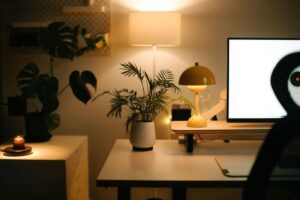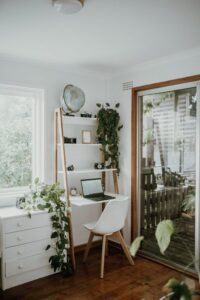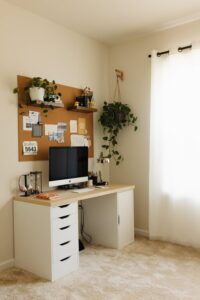

Creating a relaxing home workspace is essential for maintaining productivity and well-being while working from home. A thoughtfully designed workspace helps reduce stress, improve focus, and foster a healthy work-life balance. Whether you have a dedicated room or just a corner in your apartment, these tips will guide you in setting up a pleasant environment tailored to your needs.
Choose the Right Location
The first step to a relaxing workspace is selecting a suitable spot in your home. Ideally, this should be a quiet area with minimal distractions. If possible, avoid high-traffic zones like kitchens or living rooms where family members often gather. Natural light is a great bonus, as it can boost mood and energy levels.
Tips for choosing a location:
– Find an area away from noisy appliances and TVs.
– Ensure there is enough space for your desk, chair, and any equipment.
– Consider privacy if you have video calls or need concentration.
Invest in Comfortable and Ergonomic Furniture
Comfort plays a huge role in creating a calming workspace. An ergonomic chair and desk help prevent strain and fatigue. Good posture supports focus and reduces discomfort.
Key elements to consider:
– Ergonomic Chair: Adjustable height, lumbar support, and cushioning.
– Desk Height: Should allow your forearms to rest comfortably on the surface.
– Monitor Position: Place your screen at eye level to avoid neck pain.
Adding a footrest and a supportive cushion can also enhance comfort during long work sessions.
Organise Your Desk for Clarity and Calm
Clutter can create stress and distraction, so keeping your desk tidy is important. Use organisation tools to maintain a clear surface that invites calm and focus.
Organisational ideas:
– Use drawer dividers and trays for stationery.
– Keep only essentials on your desk.
– Use cable organisers to prevent tangles.
– Add shelves or filing systems nearby for documents.
Regularly declutter your workspace, ideally at the end of each day, to start fresh the next morning.
Incorporate Soothing Elements
Adding elements that promote relaxation can improve your mood and productivity. Soft textures, calming colours, and natural items create a peaceful atmosphere.
Suggestions for a soothing workspace:
– Plants: Small indoor plants improve air quality and reduce stress.
– Colours: Choose soft, neutral tones or pastels for the walls and accessories.
– Lighting: Use desk lamps with warm light rather than harsh fluorescents.
– Personal Touches: Include photos, art, or objects that bring joy.
These touches help turn your workspace into a place you enjoy being.
Manage Noise and Distractions
Noise can disrupt concentration, so controlling your sound environment is helpful.
Noise management tips:
– Use noise-cancelling headphones if your surroundings are noisy.
– Play soft background music or nature sounds if it helps you focus.
– Consider soundproof curtains or rugs to absorb sound.
Minimising interruptions, such as turning off non-urgent notifications, also supports concentration.
Prioritise Good Air Quality and Temperature
A comfortable room temperature and fresh air directly affect your comfort and alertness.
Tips for air and temperature control:
– Open windows regularly to ventilate the room.
– Use an air purifier if needed.
– Adjust heating or cooling so the space is neither too hot nor too cold.
Small fans or heaters can help regulate temperature locally without affecting the whole house.
Plan Breaks and Movement Within Your Workspace
Even with a perfect setup, long hours sitting can drain energy. Incorporate movement into your routine for better well-being.
Ideas for active breaks:
– Set a timer to remind you to stand and stretch every hour.
– Do simple exercises or yoga poses near your workspace.
– Use a standing desk option occasionally if possible.
Short breaks enhance focus and reduce the risk of physical discomfort.
Use Technology Wisely
Technology can boost productivity but can also cause strain if not managed properly.
Technology tips:
– Select a large, high-quality monitor to reduce eye strain.
– Adjust screen brightness and text size to comfortable levels.
– Use blue light filters in the evening.
– Keep cables and devices organised to prevent distractions.
Balance screen time with offline tasks to avoid burnout.
Conclusion
Creating a relaxing home workspace is all about combining comfort, organisation, and personal touches. A peaceful environment supports both productivity and well-being. By selecting the right location, investing in ergonomic furniture, keeping your desk tidy, and adding calming elements, you set yourself up for success. Remember to manage noise, air quality, and technology thoughtfully, and take regular breaks to move your body. With these tips, your home office can become a space where you enjoy working every day.