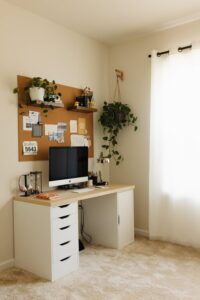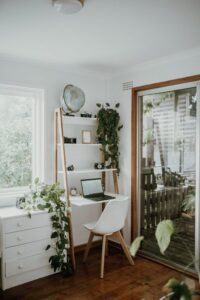

Creating a workspace at home that balances comfort with productivity can greatly enhance your daily routine. Whether you work remotely full-time or occasionally need a quiet place to focus, setting up a cozy and functional home office is essential. In this post, we’ll explore practical tips to help you design a space that invites you to work efficiently while feeling relaxed and inspired.
Choose the Right Location
Find a Quiet Spot
Start by selecting a place in your home that minimizes distractions. A quiet corner or a spare room with a door you can close is ideal. If space is limited, consider a section of your living room or bedroom where you can separate work from leisure.
Prioritise Natural Light
Good lighting helps reduce eye strain and boosts mood. If possible, position your desk near a window to take advantage of natural daylight. When natural light is limited, use a quality desk lamp with adjustable brightness and a daylight bulb.
Invest in Comfortable and Practical Furniture
Ergonomic Chair
An ergonomic chair supports good posture, reducing back and neck pain during long work hours. Look for adjustable features like seat height, lumbar support, and armrests to tailor the chair to your body.
Sturdy Desk
Choose a desk with enough surface area for your computer, documents, and other essentials. Consider options that offer storage solutions such as drawers or shelves to keep your workspace organised.
Consider Standing Desks
If you prefer flexibility, a sit-stand desk can let you alternate between sitting and standing, promoting better circulation and reducing fatigue.
Organise Your Workspace Effectively
Declutter Regularly
A clean and tidy workspace helps you focus. Keep only the essentials on your desk and store other items away. Consider donating or recycling unused office supplies.
Use Storage Solutions
Invest in organisers such as trays, file holders, or drawer dividers to keep documents and stationery neatly arranged. Vertical storage like wall shelves can save desk space and keep items accessible.
Cable Management
Manage cables with clips or sleeves to prevent tangling and create a clean visual environment. This simple step enhances both safety and aesthetics.
Personalise Your Environment
Add Plants
Indoor plants improve air quality and add a touch of nature, which can reduce stress and increase productivity. Choose low-maintenance plants like succulents or pothos if you’re new to plant care.
Choose Soothing Colours
Colours influence mood and concentration. Soft blues, greens, or neutrals tend to create a calm atmosphere, while brighter accents can energise the space.
Incorporate Personal Touches
Photos, artwork, or meaningful objects add character to your workspace and make it a place you enjoy being in daily.
Optimise Technology and Tools
Reliable Equipment
Ensure you have a dependable computer, adequate internet speed, and necessary peripherals like a keyboard, mouse, and headphones. Investing in quality tools supports smooth work processes.
Use Wireless Devices
Wireless keyboards and mice reduce clutter and increase mobility around your desk.
Implement Productivity Tools
Consider using apps or software for task management, time tracking, and note-taking to stay organised and efficient.
Create a Routine and Boundaries
Define Work Hours
Set clear work hours to maintain a healthy work-life balance. Communicate these boundaries to family members or roommates.
Take Breaks
Incorporate regular breaks to stretch and refresh. Ways to do this include short walks, simple exercises, or mindfulness techniques.
Keep Workspace for Work Only
Try to limit non-work activities in your workspace to reinforce mental separation between professional time and personal relaxation.
—
Creating a cozy and functional home workspace takes thoughtful planning but is rewarding. By focusing on comfort, organisation, and personalisation, you can build an inspiring environment that supports your productivity and wellbeing. Start with the tips above and adjust your setup as your needs evolve. Happy working!